For heavy sleepers, the best alarm app is one you've set up to get four things right: a sound you don't tune out, a phone you have to get up to reach, a task that needs you awake before the alarm stops, and limits on snooze. An app only works as well as its setup, so this guide goes through that setup one step at a time. Most of it works with any alarm. The last section shows how to do it in UpAlarm.
Pick a sound you don't hear all day, and check the volume
Your brain gets good at ignoring sounds it hears all the time. If your alarm uses the same tone as your ringtone or notifications, you've been training yourself to tune it out every day. Pick a sound you hear only in the morning, so it still stands out when you're half asleep.
Volume matters too, but before you blame the sound, check the basics:
- Ringer and alarm volume are turned up, not just media volume.
- The phone isn't on silent in a way that affects your alarm.
- Focus modes and notification settings aren't hiding or muting the alarm.
If an alarm has ever been too quiet or hasn't gone off at all, go through this iPhone alarm checklist before you change anything else. A loud, unfamiliar sound only helps if it actually plays.
It also helps to use a ring that gets louder over its first few seconds. A sound that keeps building is harder to sleep through than one that stays at the same level.
Put the phone out of arm's reach
If you can switch the alarm off from your pillow, you can do it without really waking up. Plenty of heavy sleepers know the feeling: the alarm went off, it got turned off, and there's no memory of it.
Put the phone somewhere you have to stand up and walk to: a desk, a dresser, a shelf across the room. Make sure it can still charge overnight there, and that the spot isn't so far away you can't hear it.
Distance gets you out of bed, but it isn't enough on its own. You can walk over, tap "stop" and walk straight back to bed without your brain fully switching on. That's why the next step matters.
Add a task that needs you awake
A mission alarm puts a step between hearing the alarm and switching it off. Before it stops ringing, you have to solve something, type something, scan something or move. It's hard to do any of that while you're still mostly asleep, so by the time it's done you're usually awake enough to stay up.
Wake-up tasks fall into a few groups:
- Brain tasks, like solving a few math problems, typing a short prompt correctly or remembering a pattern. These make you focus.
- Scan tasks, where you scan a QR code or a barcode that you keep away from the bed. This combines a task with distance: if the barcode is on a product in the kitchen or bathroom, you have to walk there. There are some good ideas on where to put the code.
- Movement tasks, like taking a set number of steps, shaking the phone, or doing squats or push-ups.
Movement tasks are there to wake you up, not to work you out. If exercise straight out of bed isn't comfortable or safe for you, pick a gentler task like typing, math or a short walk to a barcode. Any of them does the job.
Choose a task that's hard enough to get you thinking but not so hard you give up and start hunting for a way around it. You can always make it harder later.
Limit snooze, or turn it off
For a lot of heavy sleepers the alarm isn't the problem. Snooze is. Hitting it becomes a reflex, and one snooze turns into several. You don't have to rely on willpower here. You can change the settings so snoozing takes more effort:
- Turn snooze off on the alarms that really matter, like work days, exams or early shifts.
- Shorten the snooze length so a snooze doesn't let you fall back into deep sleep.
- Limit how many times you can snooze, so there's a clear point where the alarm stops giving in.
- Require the task before snoozing. If you have to finish the wake-up task even to snooze, snoozing stops being automatic. Once you're awake enough to finish the task, getting up is usually the easier choice.
It also helps to see your snooze habit. If you can see how often you snooze, it's easier to notice a pattern and adjust. There's more on this in our guide to snooze limits.
One thing to keep in mind: if you often sleep through loud alarms even with a setup like this, or you feel very sleepy during the day, mention it to a doctor.
How to set this up in UpAlarm
UpAlarm is a mission alarm clock for iPhone, built for heavy sleepers and anyone who keeps hitting snooze, sleeps through alarms or turns alarms off half asleep. It's iPhone-only (iOS 17 or later) and isn't available on Android or the web. Here's how each step above works in the app.
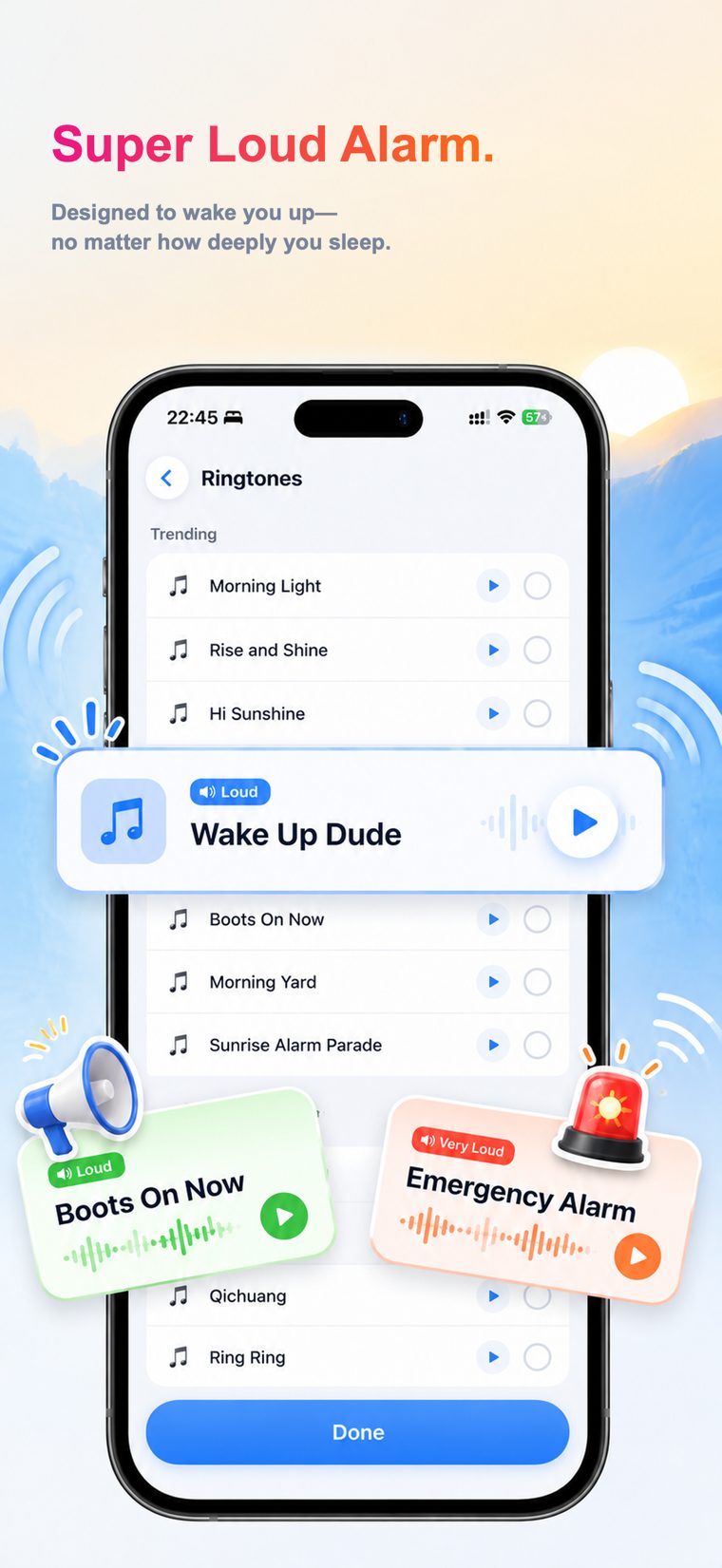
Sound. UpAlarm has loud alarm sounds, including ringtones made in-house and public-domain recordings. The ring gets louder over its first few seconds. Pick one you don't use anywhere else on your phone, and add vibration if you like.
A task. Each alarm can have a wake-up mission, or none. There are 10 missions, and all of them are free:
- Brain: Math (solve three math problems), Missing Operator, Memory Tiles and Typing.
- Body: Shake, Walk (a set number of real steps), Squats and Push-ups. Squats and push-ups are counted with the front camera. If the camera can't see you, squats are counted from the phone's motion while you hold it at your chest, and push-ups with the proximity sensor while the phone lies face-up on the floor under your chest.
- Scan: Scan QR and Scan Barcode, which need camera access. Keep the code away from your bed so you have to get up.
You can read how each one works in every wake-up mission.
Snooze. For each alarm, you can turn snooze off, set its length, and limit the number of snoozes (or leave it unlimited). Turn on "Finish task before snoozing" so that even a snooze needs the mission first. If you want no snooze at all, Hardcore Mode in Settings turns it off on every alarm.
Turning it off half asleep. With Re-ring After Stop on, an alarm stopped from the Lock Screen rings again within minutes until you finish the wake-up task.
Seeing your progress. The Streak screen shows your day streak, best streak, mornings won, how long it took you to dismiss the alarm, and how many times you snoozed.
UpAlarm is free to download. Up to 2 alarms are free, and a 3rd alarm or more needs Premium. Missions are never behind the paywall.
FAQ
What is the best alarm app for heavy sleepers?
Look for an alarm that lets you use a loud, unfamiliar sound, add a task you have to finish before it stops, and limit or turn off snooze. Then set it up well: put the phone out of reach and check your volume and Focus settings. The setup matters as much as which app you choose.
Why do I turn off my alarm without remembering it?
When the phone is within reach and stopping the alarm takes a single tap, you can do it before you're properly awake. Moving the phone away from the bed and adding a wake-up task means you have to be more awake before the alarm can stop.
Is a louder alarm enough for heavy sleepers?
Volume helps, but a familiar sound is easy to tune out, however loud it is. Most heavy sleepers do better with a sound they only hear in the morning, plus distance and a task. If you still sleep through loud alarms regularly, it's worth mentioning to a doctor.
Is UpAlarm free?
UpAlarm is free to download, and all 10 wake-up missions are free. You can set up to 2 alarms for free. A 3rd alarm or more needs Premium, and prices are shown in the app before you buy.